Offline transcription for iPhone & Mac.
Turn recordings into text, speaker labels and AI summaries on your own device. Record a conversation or import audio, without a cloud transcription service.

Pay once. No subscription. No Vocatim account.
Vocatim / Choose a film
See Vocatim in action
Recording, speakers, search and AI. See how it works in the app.
The video could not be played. Open the video file
Tutorials
A little guidance. Your next conversation.
Short, practical videos showing Vocatim on iPhone: from your first recording file to finding answers in a meeting.
What it does
Everything happens on your device
Local processing, no sign-up. Optional iCloud sync when you want to use both devices.
Fully on-device & offline
Transcribe and summarise locally after downloading the models. No internet connection is needed for on-device processing.
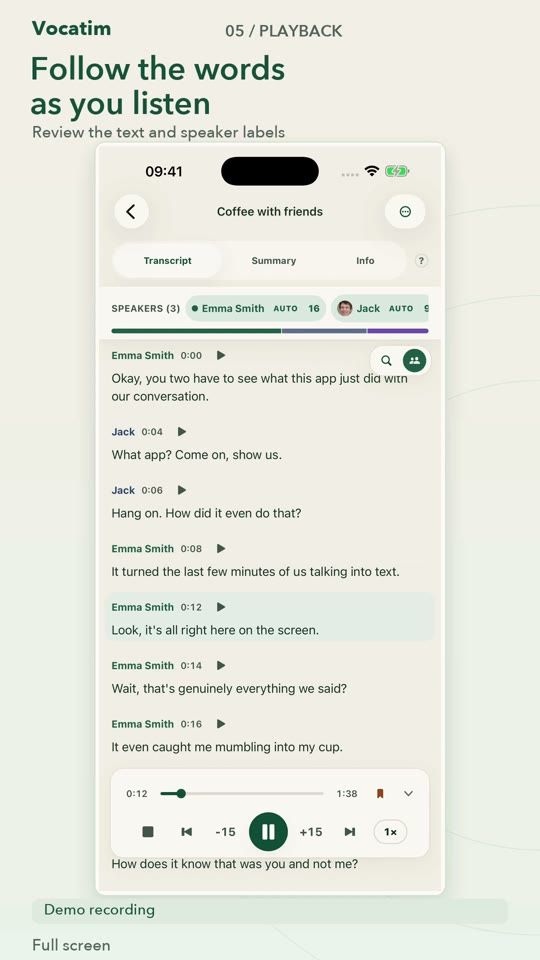
Knows who spoke
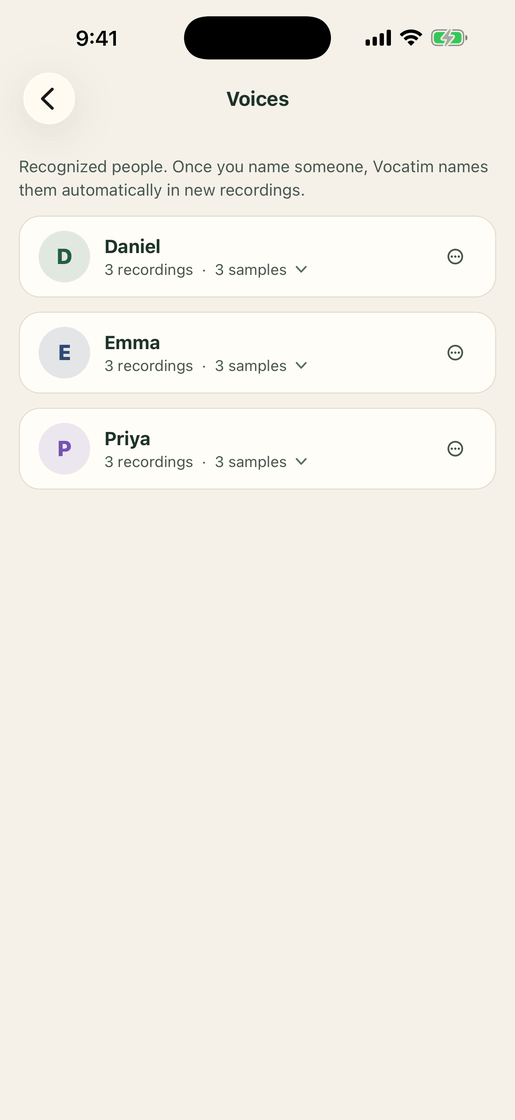
Separates speakers, labels each by name, and recognises the same voice across your recordings.
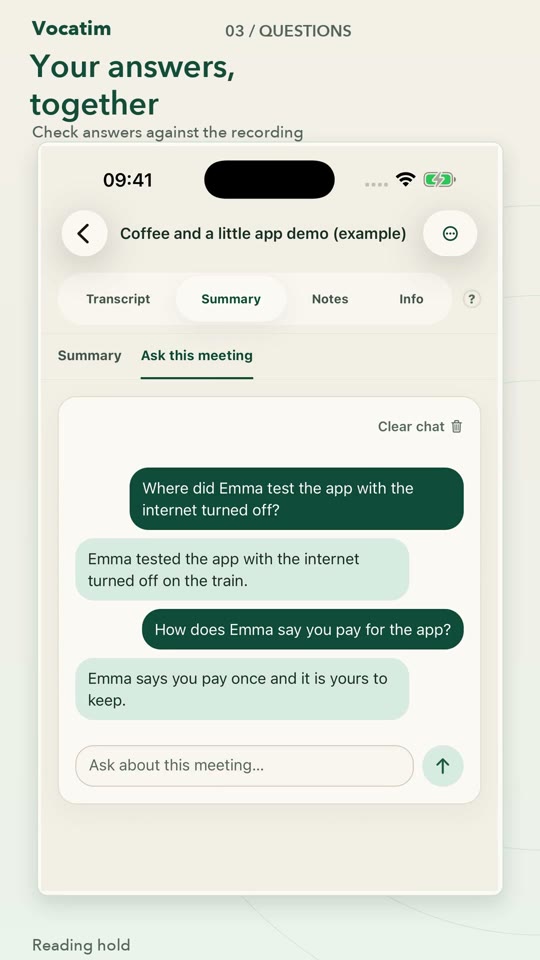
AI summaries & chat
A local AI writes a short summary and answers questions about your meeting — no data leaves the device.
Record or import
Use the microphone, pick an audio file, or share a memo straight from Voice Memos.
Eighteen languages
Interface and speech transcription in Polish, English, Dutch, German, French, Spanish, Italian, Portuguese, Japanese, Korean, Swedish, Traditional Chinese, Turkish, Norwegian, Danish, Czech, Slovak and Ukrainian.
Pay once
A single purchase unlocks everything forever. No subscription, ever.
A look inside
See Vocatim in action
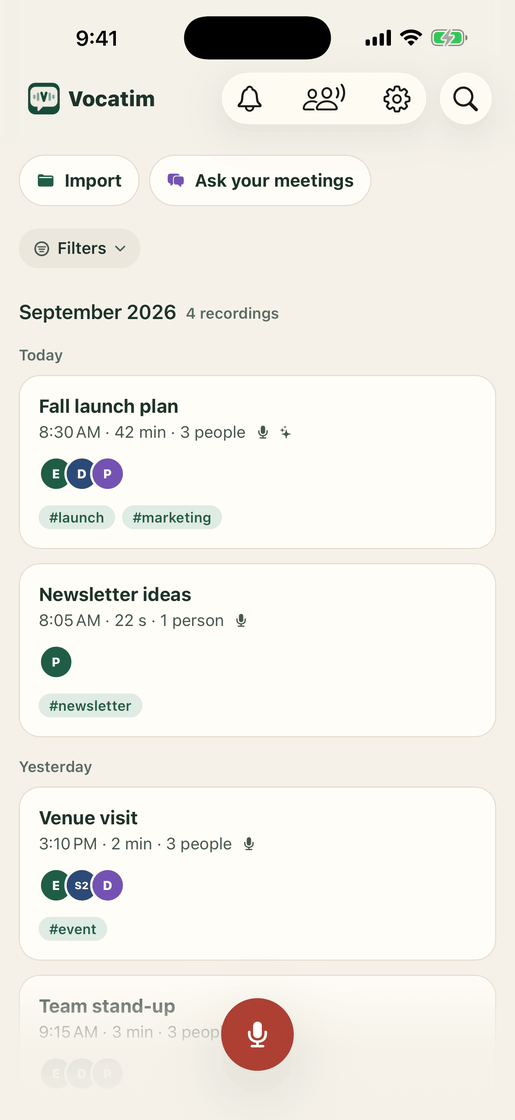
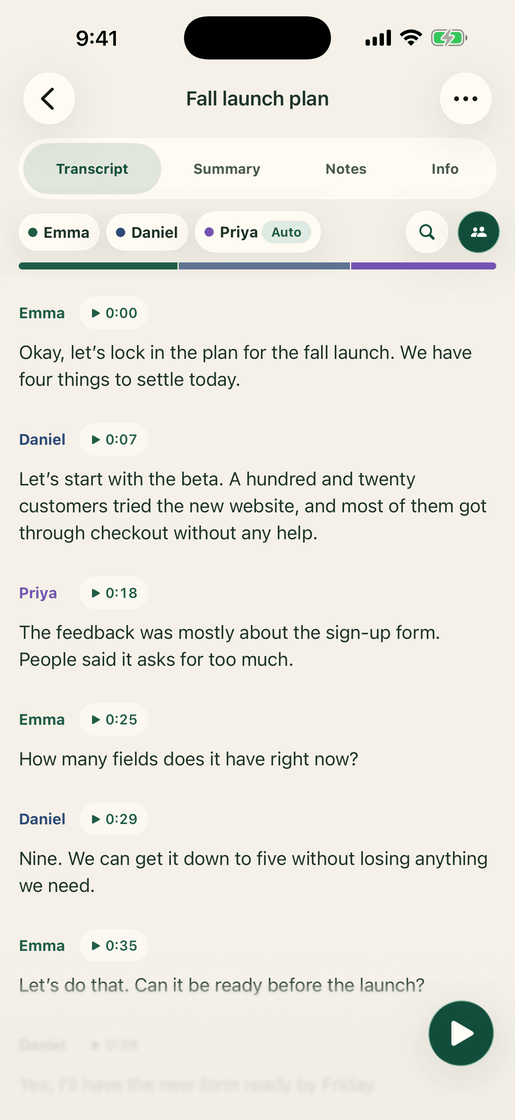
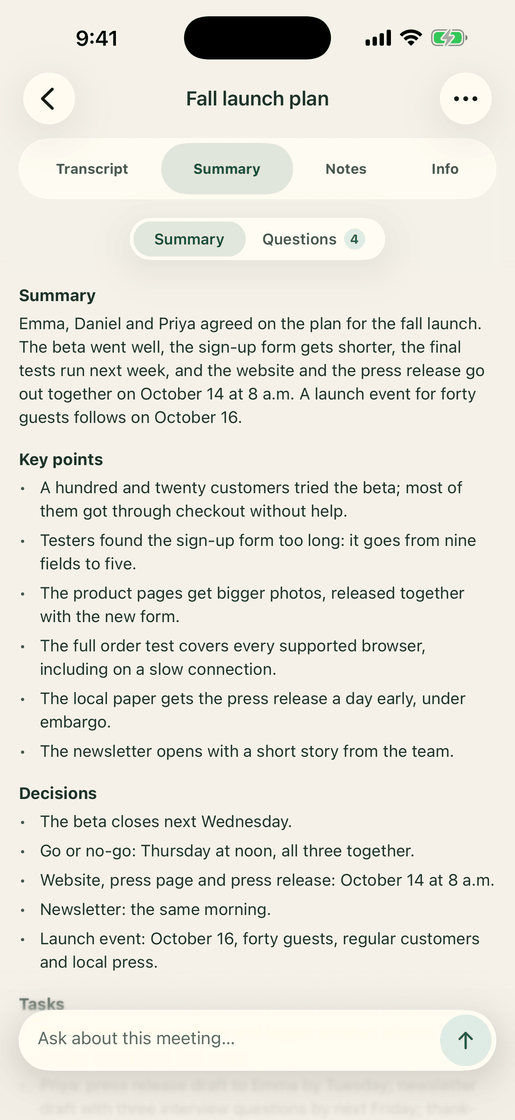
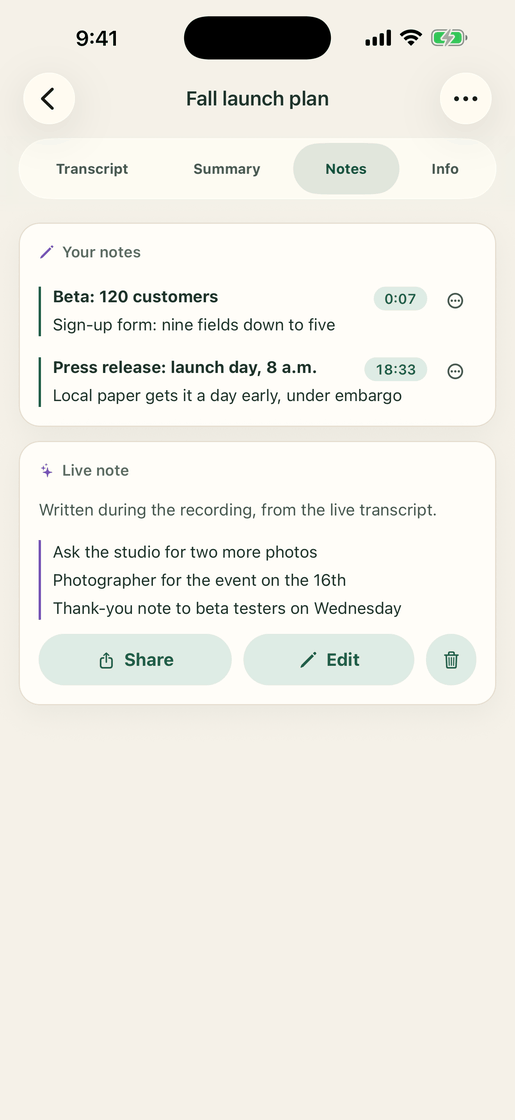
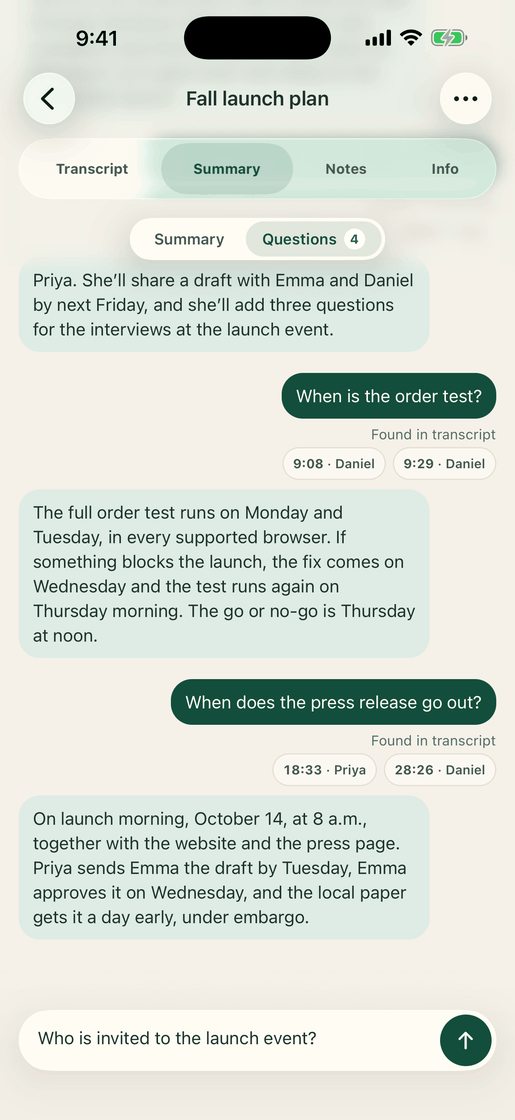
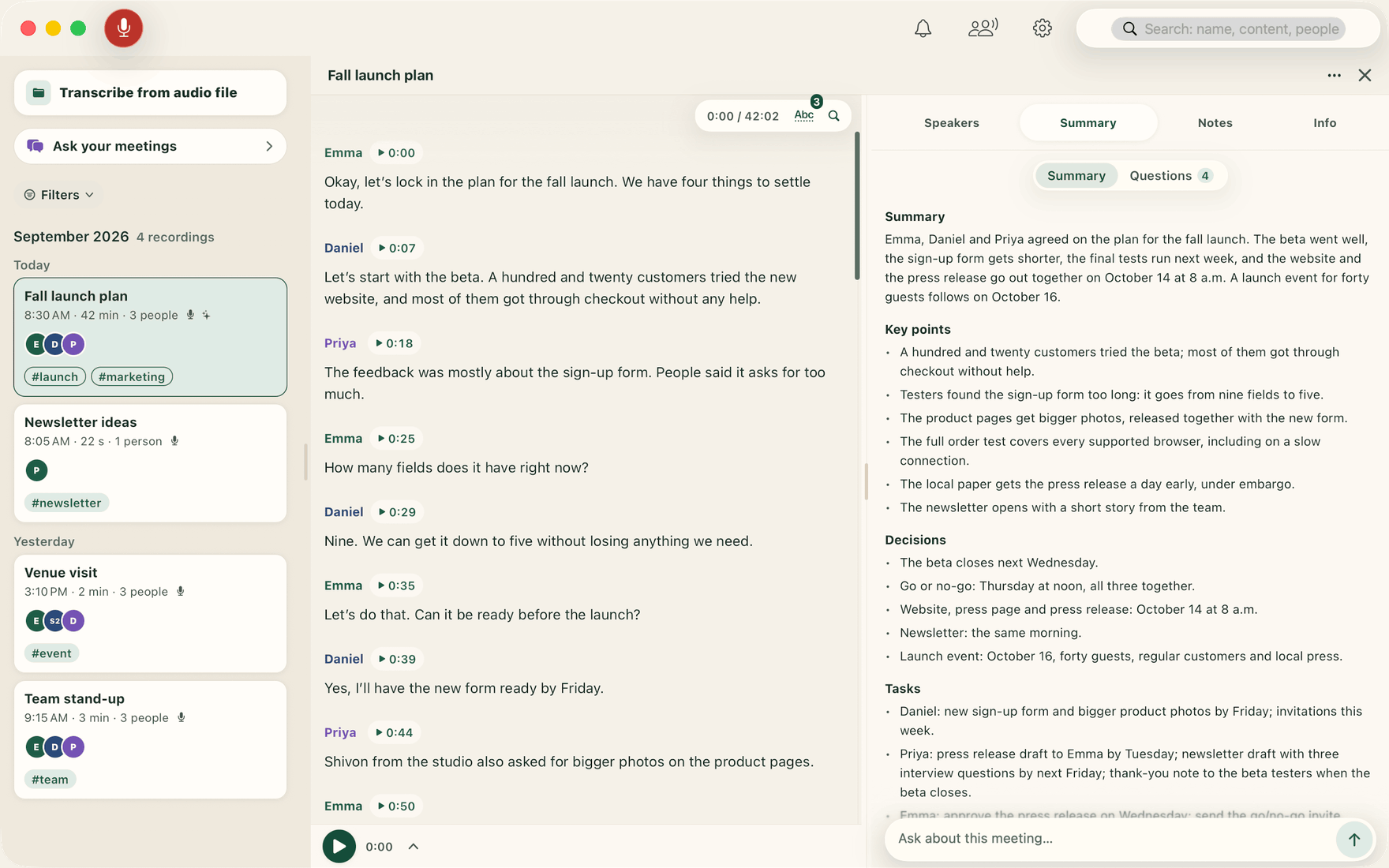
A few minutes, the whole conversation — transcript, speakers, summary and chat, all on your device.
How it works
Three steps
Record or import
Capture live from the mic, or bring in a file or a voice memo.
Transcribe & label
Vocatim writes the text and separates speakers on your device.
Summarise & search
Get a summary, ask questions, and search across every recording.
While you are still in the room
The summary is written during the meeting, not after it
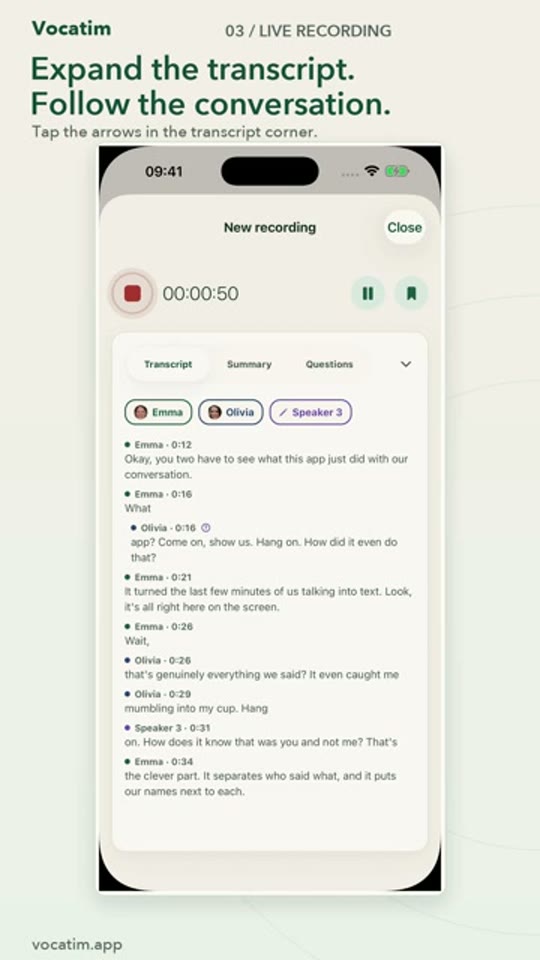
Vocatim works as you record: the transcript appears line by line, the moments worth keeping are picked out, and you can put a question to the meeting while it is still running — all on your device, with nothing sent anywhere.
The transcript keeps up
Words appear while people talk, each speaker on their own line — and a voice you have saved gets its name in the middle of the meeting.
A note that writes itself
Decisions, tasks, questions and figures are picked out of the transcript as it is written, together with the moments you pinned yourself.
Ask before it ends
Type a question during the meeting: Vocatim marks the passages that answer it and, with the summary model on your device, writes the answer. Question and answer stay with the recording.
Your Mac as the engine
Record on iPhone, let your Mac do the heavy lifting
Record on iPhone and let your Mac process the audio with the models it can run. Transfer over your local network or, when enabled, your own iCloud account. Transcription runs on your Mac, not in a Vocatim cloud service.
Pair by signing in
Install Vocatim on your iPhone and your Mac with the same iCloud account. They find each other automatically — no setup, no codes.
Send a recording
Tap “Transcribe on computer” — or make it the default after every recording. On the same network it travels directly and encrypted; away from home it goes through your own iCloud.
Get the transcript back
The Mac transcribes with its larger models, separates the speakers, and the finished transcript lands back on your phone with a notification.
Your conversations stay yours
Local transcription does not send your audio to Vocatim. You can keep recordings on one device, or choose iPhone–Mac sync using your own iCloud account. iCloud sync transfers data through Apple, so it is separate from fully offline use.
PrivacyGuides
Find the right workflow
Practical guides to private transcription, meeting notes and choosing an app.
A Granola alternative for offline, private transcription
Vocatim vs Granola: compare local processing, meeting workflows and one-time purchase pricing. Find out which fits your iPhone and Mac.
GuidesHow to transcribe audio offline on iPhone
Use Vocatim to turn iPhone recordings into text offline. Prepare models, choose a language, label speakers and understand device limitations.
GuidesPrivate AI meeting notes on your Mac
Create transcripts, speaker labels and AI meeting summaries locally on Mac with Vocatim. Import audio or hand recordings over from iPhone.
GuidesHow to transcribe Apple Voice Memos with Vocatim
Turn an Apple Voice Memo into an editable transcript with speakers and a summary. Share or export audio, then process it locally in Vocatim.
GuidesA transcription app without a subscription
Vocatim offers offline transcription on iPhone and Mac with a one-time purchase. Learn what you can test for free and what local processing requires.
Pricing
One price, forever
One-time purchase. Try the first 5 minutes of any recording for free. The App Store shows the current price in your region.
Ready to try it?
Download Vocatim and transcribe your first conversation in minutes.
About Vocatim
Vocatim is a local transcription app for iPhone, iPad and Mac. It works offline after downloading the models.
Is Vocatim available on Android?
No. Vocatim is available only for iPhone, iPad and Mac.